Business websites
Clear, distinctive websites designed around your offer, your audience and the action you want the right visitor to take.

Clear, distinctive websites designed around your offer, your audience and the action you want the right visitor to take.
Quizzes, calculators and guided tools that exchange useful value for a qualified enquiry.
Clickable or functional experiences that let you test the journey, important behaviour and product direction.
The essential product experience, ready for real users, feedback and the next decision.
High-fidelity iPhone and iPad experiences for testing flows, interactions and product direction.
Focused workflows that connect forms, inboxes, CRMs and internal tools, with carefully scoped AI-assisted steps where useful.
Launch as a standalone tool, connect it to the website and platforms your business already uses, or automate the handoffs between them.
Ideas made practical
Qualify goals, experience, schedule and constraints before recommending the right starting plan.
Test the journey from sign-up through assessment, program selection and the first check-in.
Give early users programs, progress tracking, check-ins and coach feedback in one focused product.
Score new enquiries, organise the brief and create the right follow-up task automatically.
Turn property type, scope, measurements and priorities into a useful indicative project range.
Test a mobile flow for capturing rooms, issues, photos, notes and next actions during an inspection.
Create a clear place for documents, milestones, feedback, approvals and status updates.
Categorise property enquiries, enrich the brief and send each lead to the right person or pipeline.
Score the prospect's current position, priorities and gaps before recommending the right starting service.
Test a guided experience for collecting the brief, documents, decisions and next actions in one place.
Give early clients a focused place to review milestones, requests, deliverables and status updates.
Organise the brief, identify missing information and prepare the right internal follow-up without repetitive admin.
Tell us what you want to build, who it is for and why it matters.
We define the stage, deliverables, acceptance checklist and fixed price.
You test the agreed deliverable and provide feedback against the checklist.
We launch the work, connect the agreed automation or hand over the files, code and documentation.
Before work starts, every stage is reduced to a clear written scope, acceptance checklist and confirmed quote.
The stage, deliverables, exclusions and responsibilities are agreed in plain language.
You know what has to be true before a stage is considered complete.
The price is confirmed before the stage begins. Scope changes are written up separately.
Australian GST is added where required.
Interactive lead magnet concept
A highly visual, rule-based estimator that turns project scope, metric measurements, finish and site conditions into a realistic Sydney budget range.
Try the working demo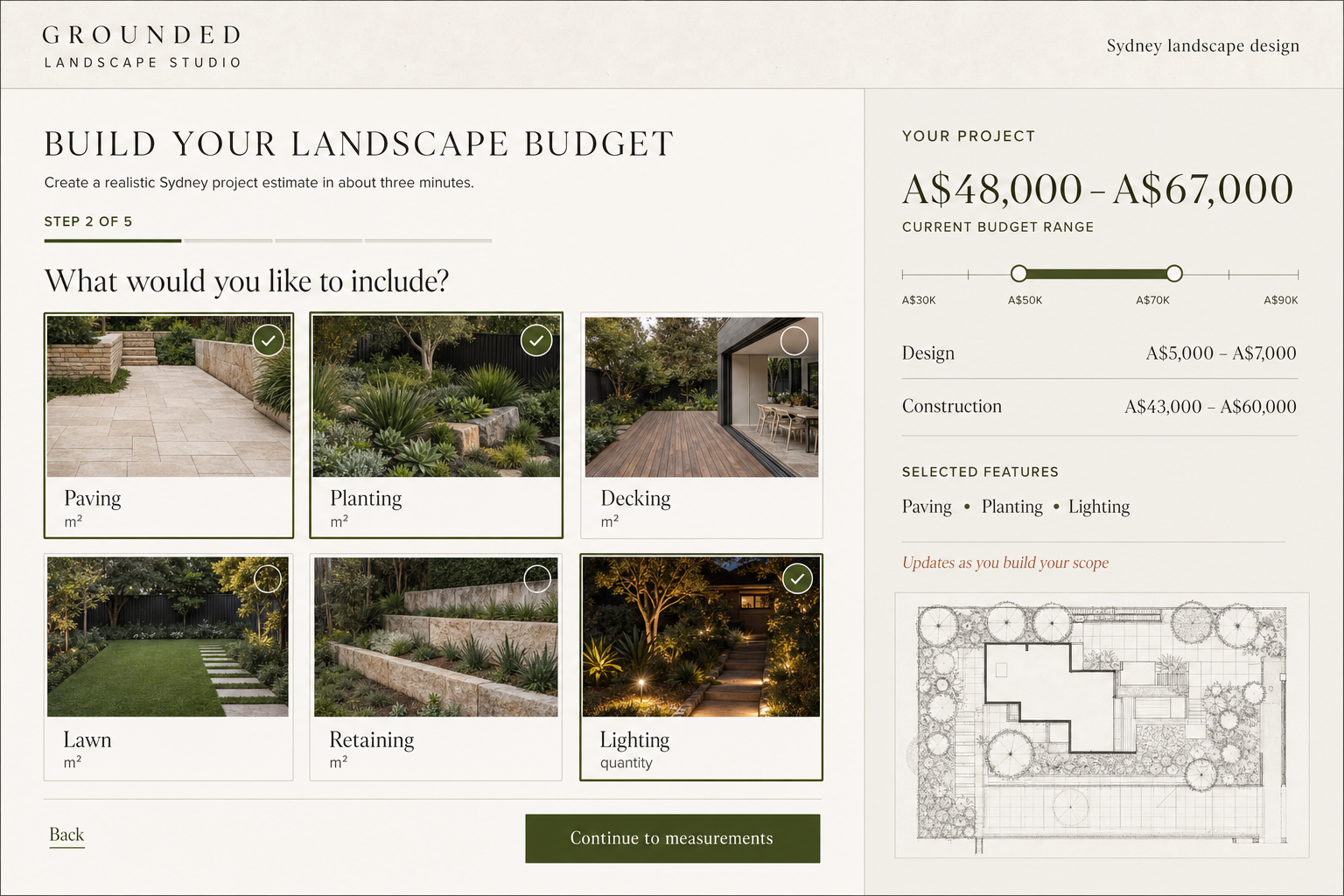
The scope and acceptance checklist remove most surprises before the build starts.
Most projects can begin within one to three weeks after the scope, acceptance checklist and first-stage payment are agreed.
Start with the Project Blueprint. It turns a rough idea into clear users, flows, requirements, risks and a recommended first build.
An interactive lead magnet is a small useful tool that captures a better enquiry. A working prototype lets people click through or test the idea before a full build. A functional MVP is the smallest real product version with enough working features for early users.
Yes. Schofield Studio designs and builds custom business websites, including page structure, responsive design, enquiry forms, analytics, search foundations and agreed integrations. Website projects are scoped and quoted separately.
It is a focused workflow that removes a repetitive handoff between the tools your business already uses. That might mean qualifying an enquiry, organising information, updating a CRM, creating a task or preparing a useful summary. AI can be included when it adds clear value, but it is not required.
Changes outside the agreed scope are written up and priced before work continues. You decide whether to include them now or save them for a later stage.
Yes, when a focused MVP is the right next step. Larger products are split into clear stages so cost, risk and priorities remain visible.
Yes. Once the relevant invoice is paid, the agreed project files and code are handed over to your business.
You can choose a monthly maintenance option after handover, or engage Schofield Studio for specific improvements as needed.

Tell us what you want to build. We will reply with any questions and the right starting stage.